
Oxford Drum Gate 2
The noise gate that actually understands drums.
Intelligent gating built for drums. Preserve ghost notes while rejecting bleed from the rest of the kit, and phase alignment between close mics ins one click. Does in seconds what normal threshold gating makes you fight for.
-
 Perpetual Licence, Two Activations
-
 Authorise with a free iLok account
-
 14-Day Money Back Guarantee
-
 Instant Digital Download
-
 15 Day Free Trial
-
 AAX / AU / VST3
-
Mac / Windows
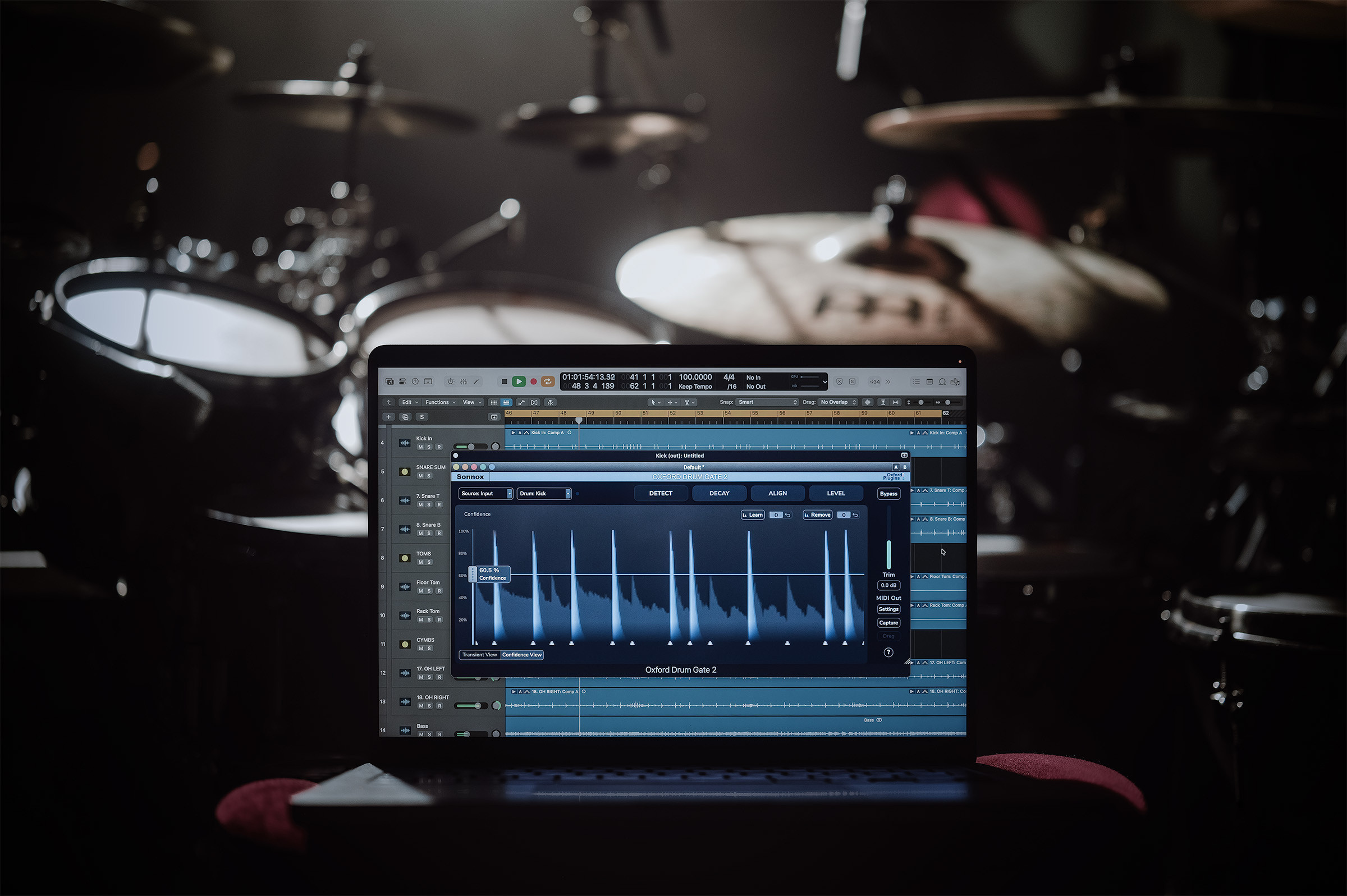
The Noise Gate Built For Drums
Not a threshold-based noise gate. Not source separation. A purpose-built drum detection engine.
Whether you're mixing live-tracked drums across close mics, overheads and rooms, or shaping kit sounds from stems, Drum Gate 2 gives you total command so these elements work for your mix rather than against it.
What's New In Drum Gate 2?
| Drum Gate 1 | Drum Gate 2 | |
|---|---|---|
| Detect every intended drum hit (with zero false triggers) without babysitting multiple controls. | ✔︎ | ✔︎ |
| Align time, polarity, and phase across any set of drum tracks to give a clean, punchy starting point for downstream mixing decisions. | ✔︎ | |
| Decay drum resonances naturally while attenuating spill (no fiddly filter-tweaking or whumpy source-separation artefacts). | ✔︎ | ✔︎ |
| Level out dynamic inconsistencies without losing expressive playing dynamics. | ✔︎ | ✔︎ |
| Clip each hit consistently so that drums cut through dense mixes evenly. | ✔︎ | |
| Enhance pre-beat-detected drums with Drum Gate 2's Decay and Leveller (no re-detection needed). | ✔︎ | |
| Export MIDI for detected hits for sample triggering. | ✔︎ | ✔︎ |
Hear The Drum Gate 2 Difference
Full Kit:
Gated & Aligned
Toms:
Gated Toms
Key Features
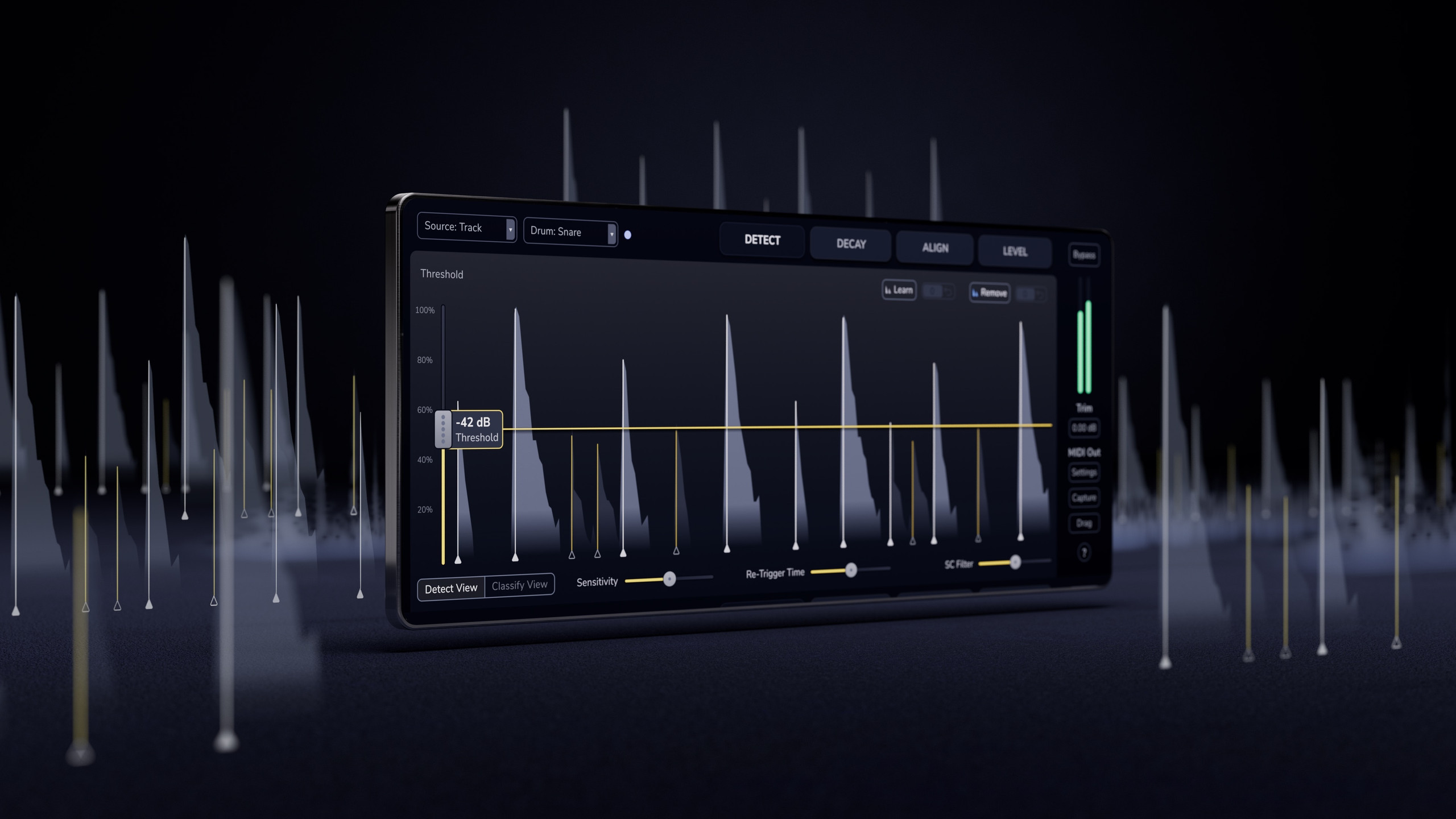
Isolate hits from bleed instantly, even in busy close-mics.
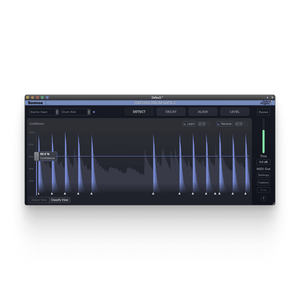
Intelligent Drum Hit Detection
Drum Gate 2 uses intelligent detection to identify kicks, snares, hi-hats and toms with precision, even in complex playing. Choose which drums to process and let the detection engine do the work.
The result? Clean, controlled tracks where every intentional hit stays intact and bleed is removed reliably.
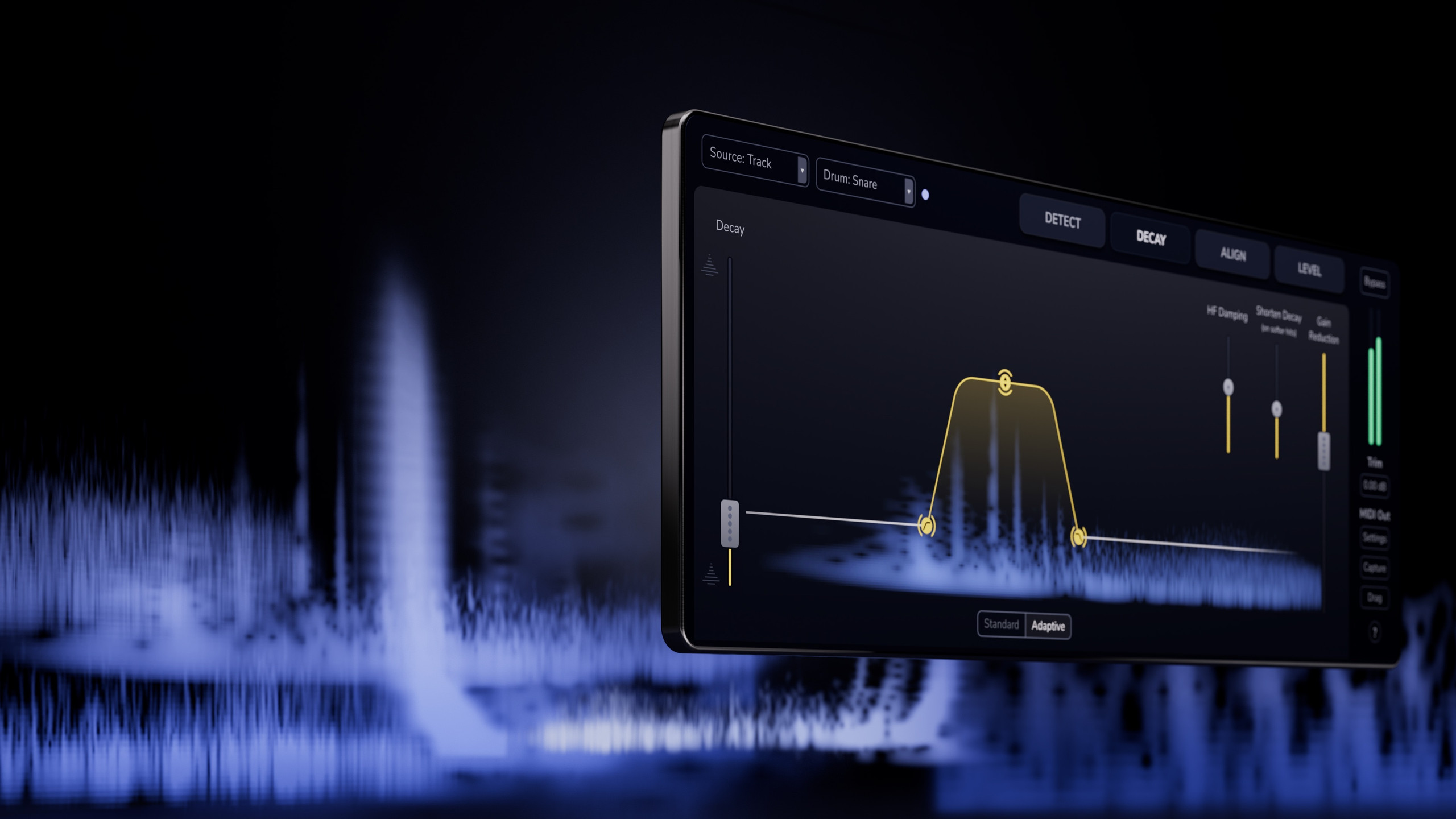
Keep the ring, lose the noise.
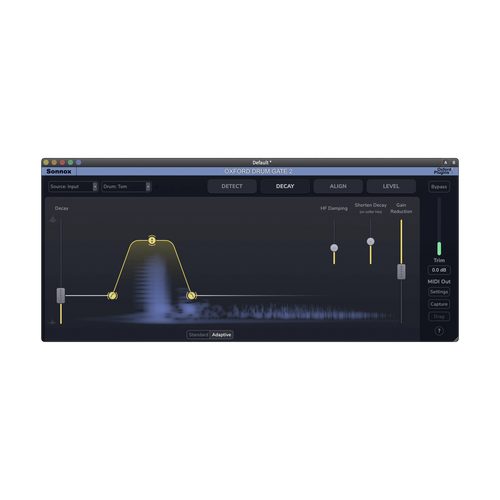
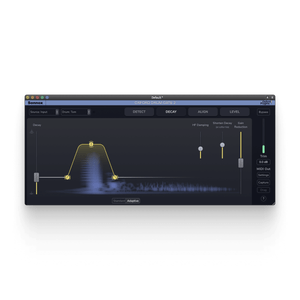
Adaptive Decay
Adaptive Decay adjusts the decay time based on each hit's velocity, so the gate responds musically rather than mechanically.
Drums keep their natural resonance. Unwanted noise is clamped down automatically, even in complex performances.
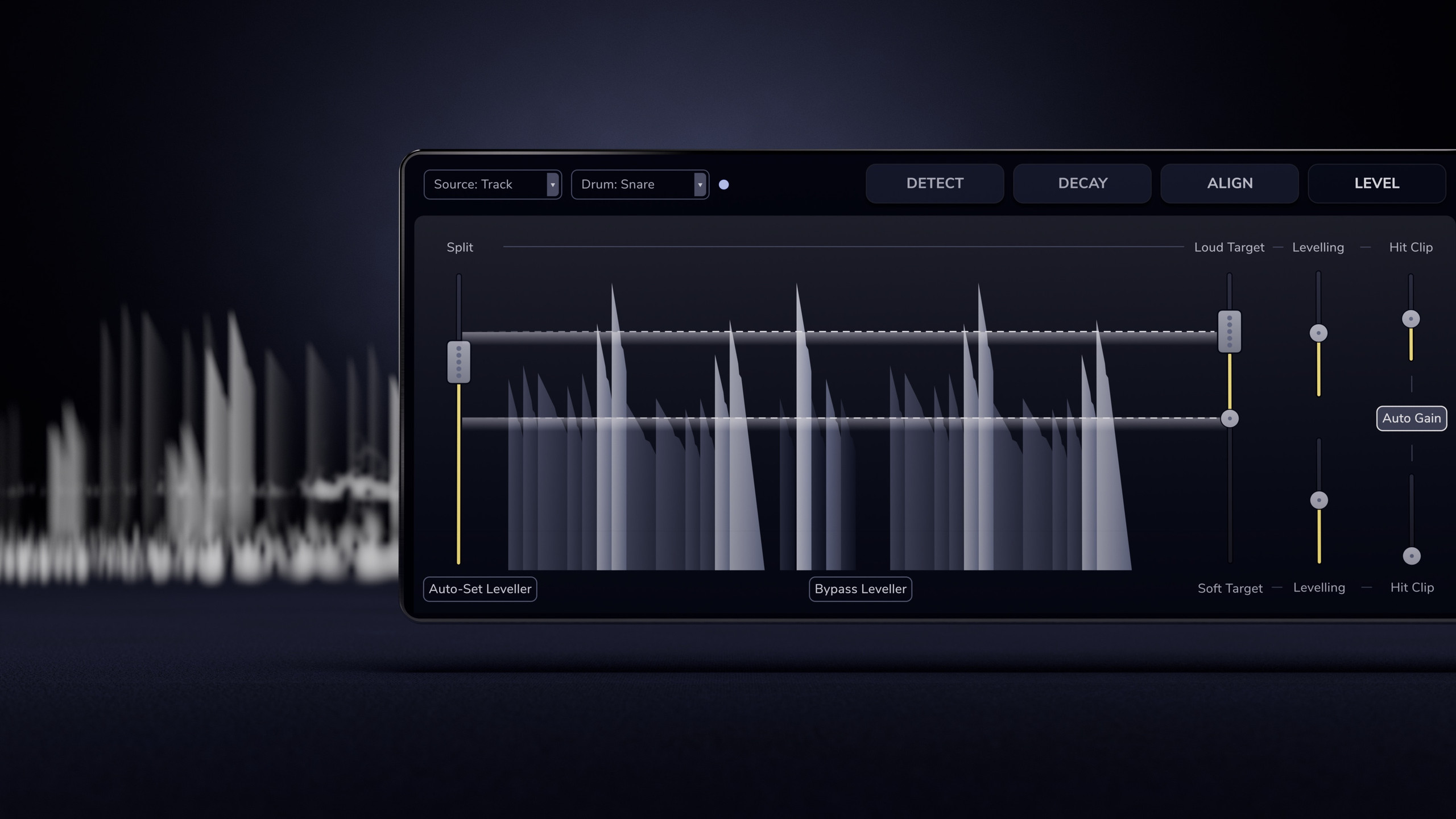
Tighter dynamics, less automation.
Leveller
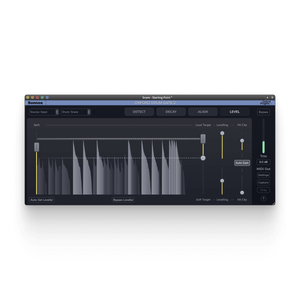
Drum Gate's Level tab smooths out performance variations while preserving the contrast between louder hits and subtle ghost notes.
Tighter, more consistent drums that sit naturally in the mix, with less automation and more musical control.
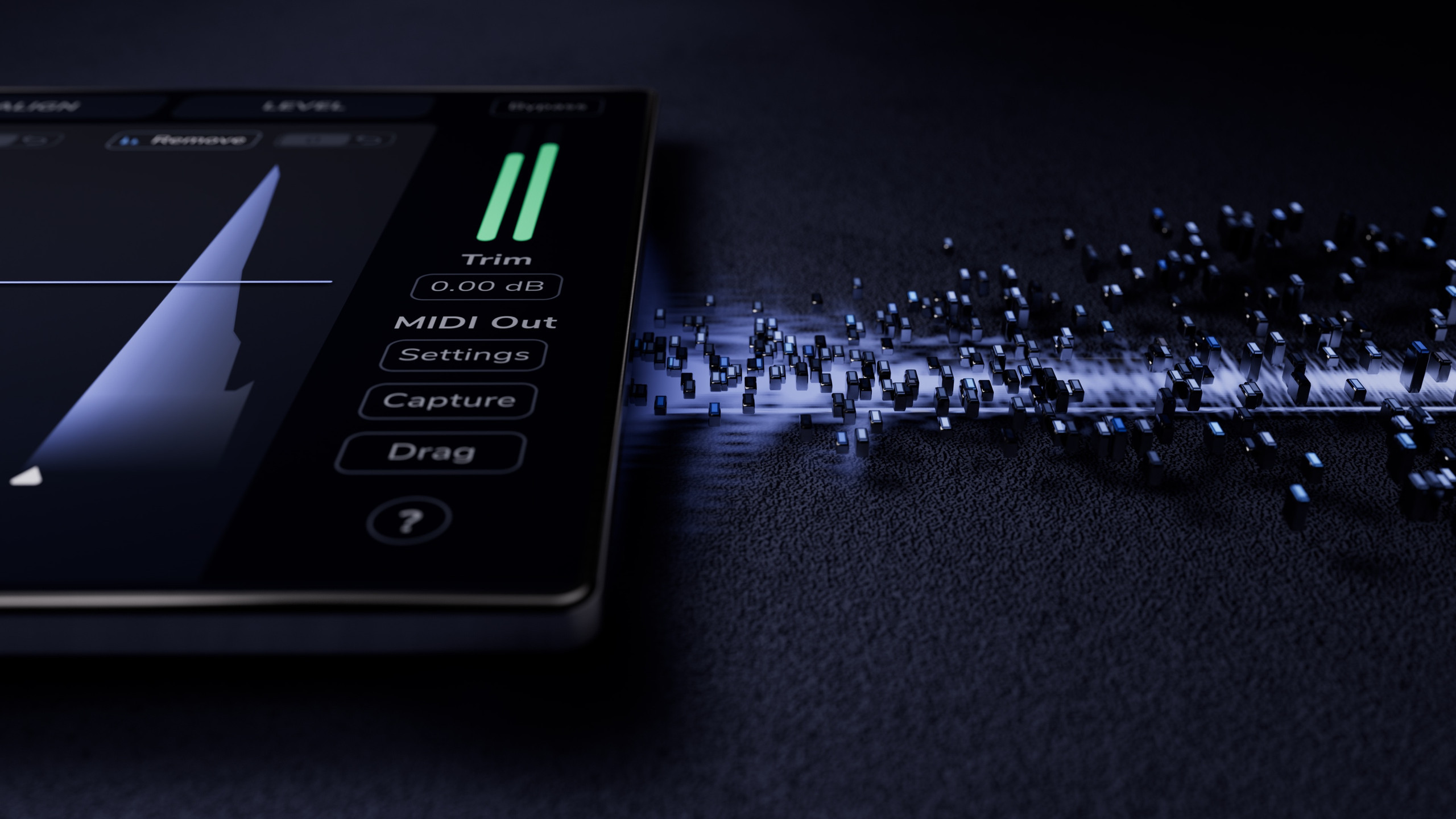
No manual nudging. Samples land exactly where the hits do.
Sample-Accurate Drum Triggering
Drum Gate 2 exports isolated hits as MIDI with sample-accurate timing, perfectly aligned and retaining the original dynamics. Whether you're layering or replacing, the groove stays intact.
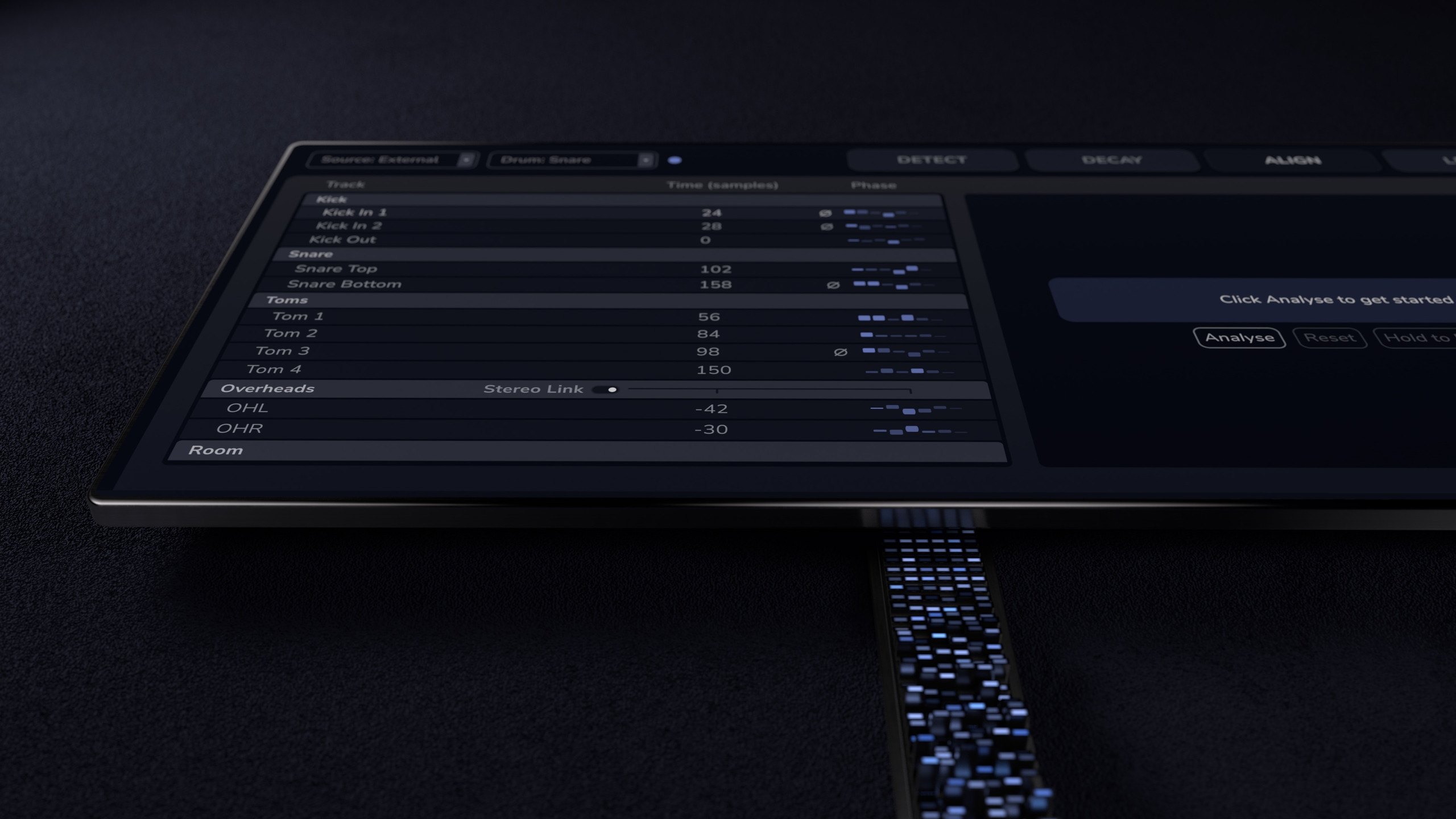
Fix phase issues in one click. Tighter low end, punchier shells.
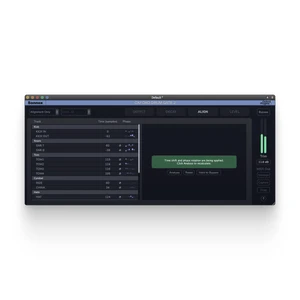
Time, Polarity & Phase Alignment
When drum tracks aren’t aligned in time and phase, you’re fighting the kit from the very first hit.
Drum Gate 2 precisely aligns your entire drum setup in both time and phase, locking the kit together so the foundation of your mix is solid from the start.

Already detected your hits? Skip detection entirely.
External Sidechain
Drum Gate 2 can be triggered via an external sidechain, following MIDI, trigger plugins, DAW markers or manual edits. Every instance opens at the exact same moment, keeping multi-mic kits locked in time and phase.
With timing handled upstream, Drum Gate 2 focuses purely on decay shaping and levelling, without disrupting your existing workflow.
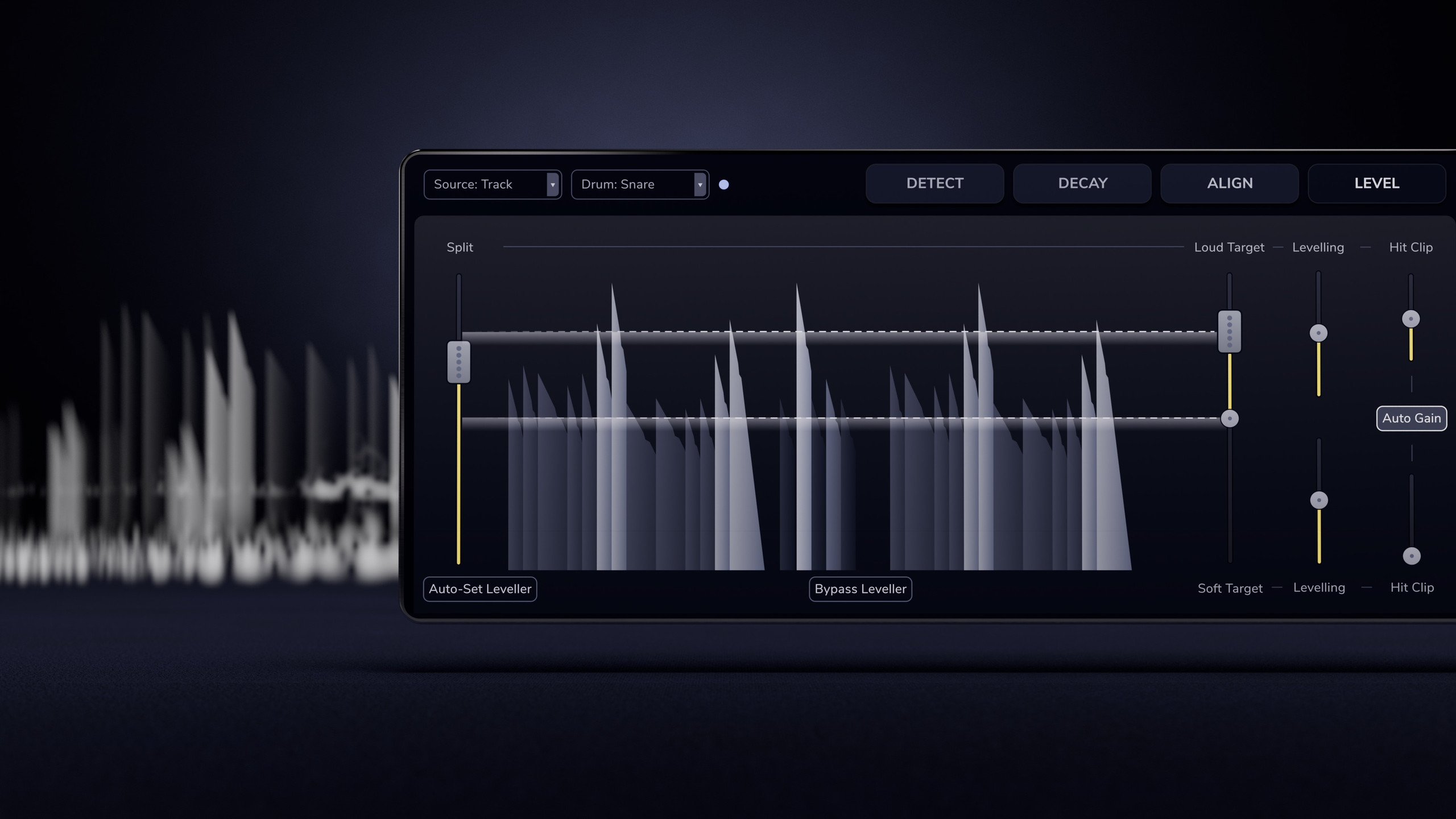
Clipping built in. No extra plugins needed.
Hit Clipper
Drum Gate 2’s Intelligent Leveller feeds the clipper the peak information, so each transient is clipped on its own terms.
Uniform power, density, and clarity, even in dense mixes.
Explore Oxford Drum Gate 2
Source Detection
Select between audio inputs, MIDI inputs, external (to access the sidechain), or just opt to align only.
Drum Type Selector
Oxford Drum Gate 2 uses intelligent drum hit detection to identify kicks, snares, hi-hats and toms with precision, even in complex playing. Simply click to choose which drums to process and let the detection engine do the work.
Confidence Level Selector
Increase the Sensitivity if some transients are not being marked. Decrease Sensitivity or increase Min ReTrigger Time if multiple markers appear on each transient.
Learn and Remove Hits
You may not always be able to set the Threshold to remove unwanted transients without also losing some that you want to keep. Use Learn to rescue those lost beneath the Threshold.
If unwanted transients are matched above the Threshold, use Remove to gate them and similar sounding transients. In a pinch, you can use the Transient Level to remove quiet transients, bypassing the drum type matching.
Export MIDI to trigger samples externally.
Export isolated drum hits as MIDI directly to your DAW, perfectly aligned and retaining the original dynamics of the performance.

What The Pros Think Of Drum Gate 2
-
Tom Lord-Alge
(Blink-182, P!nk, Fall Out Boy)
"Controlling cymbal leakage has always been a painstaking, time-consuming process, especially on snare and toms. What used to take hours now takes minutes with no compromise! Oxford Drum Gate 2 makes average drums EPIC!" -
Michael Brauer
(The Rolling Stones, Aerosmith, James Brown)
The ability to isolate hi hats this precisely is groundbreaking. The control over High Frequency dampening and decay lets me contour the perfect gated hit. It keeps drums clean and natural sounding. -
Ben Baptie
(Little Simz, Beabadoobee, Jordan Rakei, Michael Kiwanuka)
What a plugin! It's fantastic. Very very intuitive and incredibly powerful if it needs to be. Really finding using it subtly is creating some wonderful results, especially just to bring out some more dynamic shifts within the drums when they (potentially) could've been recorded a little better! -
Fab DuPont
(Bad Bunny, Andre 3000, Snarky Puppy)
The original Sonnox Oxford Drum Gate one was a revolution, Drum Gate 2 is, incredibly, even better! Absolutely indispensable! -
David Bottrill
(Tool, Mastadon, Muse)
It appears on every mix I do. The detection algorithm is virtually flawless and I’m able to isolate individual drums to be able to have clear close mic sounds to mix with any level of compression while maintaining a good overhead balance. -
Ross Hogarth
(Van Halen, Edgar Winter, Def Leppard, Ziggy Marley)
Oxford Drum Gate has been a go-to because it gives me control without killing the musicality. Drum Gate 2 feels like a real upgrade from the prior iteration. It’s quicker to dial in, more responsive, and sounds more musical than other gates. It’s very intuitive. Less time editing, more time getting drums that feel big, punchy, and still natural. -
Marc Daniel Nelson
(Fleetwood Mac, Jason Mraz, Joni Mitchell)
I can't believe how articulate the Drum Gate 2 is and how precise the transients are. Every hit is just SMACK, right on target. I've always been sceptical of time aligning and 'intelligent' plugins for transient tracks, but THIS is a new era. Oxford Drum Gate 2 is just glorious. Damnit! -
Lasse Lammert
(Alestorm, Windrose, Gloryhammer)
Drum Gate 2 replaces 3 plugins I used to stack up, and it's doing it better than those 3 combined, all while eliminating a lot of automation work. Taking the pain out of the prep work leaves more energy for the creative part of the process, and that's what mixing should be about. -
Ricky Damian
(Mark Ronson, Jorja Smith, Ezra Collective)
Drum Gate 2 is by far the best in the business, the only one I can get natural sounding drums where I retain everything I need and get rid of everything I don’t. Version 1 was already a must for me, with this new upgrade ,it really feels like the perfect tool on steroids. -
Ryan Hewitt
(Red Hot Chilli Peppers, Noah Kahan, The Lumineers)
It’s a game changer! I don’t know what kind of magic you’ve put in there, but it’s pretty outstanding, even on complicated drum parts with lots of bleed. V2 is a huge improvement over the original, and much friendlier to use! -
Richard Chycki
(Rush, Alice In Chains, Aerosmith)
The Sonnox Drum Gate 2 is a full drum-prep tool. The intelligent detection, adaptive decay, levelling, and phase alignment all work together flawlessly. Where in the past I would use a conventional gate, a multiband expander to control cymbal bleed, a leveller and a time-alignment plugin, all have been replaced by this single, elegant plugin. 10/10! Very highly recommended.


FAQs
2. Press play and watch hit markers appear automatically.
3. Confirm the drum type (kick/snare/tom/hats). Usually auto-detected from your track name.
4. If required, adjust the Confidence until the spill stops without losing wanted hits.
5. Set Decay so tails sound natural, not gated.
Stop when it sounds right, then align the full kit.
Once Drum Gate 2 is on all your drum tracks, open the Align tab on any instance and press Analyse. Time, polarity, and phase across every mic, sorted.
Your DAW's delay compensation handles this automatically, so there's no timing impact in your mix.
This makes Drum Gate 2 a mixing tool, not a tracking insert. For tracking, bypass it, then re-enable it afterwards.
What Drum Gate 2 Users Say
Compatibility





Specifications
Licencing
- Local Machine Install directly on your computer.
- iLok Device Requires an iLok2 or iLok3 USB dongle (latest drivers required).
- iLok Cloud Requires an active internet connection. Only one activation can be assigned to iLok Cloud; the other must be on a Local Machine or iLok Device.
Each Oxford plugin license includes two simultaneous activations.
With an iLok account, you can authorise each activation on one of the following devices:
All versions: Free iLok account and the iLok License Manager, plus an appropriate Sonnox product licence.
Supported Platforms
- AAX Native Avid® Pro Tools® 11 or higher.
- VST3 Supported VST3 hosts.
- AudioUnit (AU) Supported AU hosts on macOS.
Compatible plugin formats for common DAWs:
System Requirements
- macOS® macOS® 11.0 • Intel i5 6600 CPU • 8GB RAM
- Windows® Microsoft® Windows® 10 22H2 (64-bit only) • Intel i5 6600 CPU or equivalent • 8GB RAM
- macOS® macOS® 12.0 or higher • Apple® M1 CPU or higher • More than 8GB RAM
- Windows® Microsoft® Windows® 11 (64-bit only) • Intel i7 9700 CPU or higher/equivalent • More than 8GB RAM
Minimum and recommended specifications for reliable performance.
Minimum System Requirements
Recommended System Requirements
Disclaimer: Our products may work on older OS or host DAW versions, but they are untested.
Sample Rates & Latency
Oxford Drum Gate 2 introduces latency due to its lookahead detection, ML classification, and spectral processing. This makes it primarily intended for mixing rather than live tracking.
Your DAW’s automatic delay compensation will handle this latency across all tracks, so it won’t cause timing issues in your mix.
For live monitoring or tracking sessions, bypass Oxford Drum Gate 2 during recording and enable it afterwards for mixing.
Reported Latency



Overview
The Sonnox Oxford Drum Gate 2 redefines precision gating for drum and percussive tracks, solving the common challenges of bleed and mis-triggering that often plague drum mixes. Using intelligent drum-hit detection, this advanced gate plugin accurately isolates and controls each drum, ensuring clarity and impact without losing the natural feel of your performance. With its adaptive decay feature, you can tailor the gate’s release to match the resonance of each drum, capturing the full sustain without unwanted noise.
Optimized for studio professionals and mixing engineers, Oxford Drum Gate’s detailed frequency control allows you to refine individual elements in a drum kit, from tight kicks to shimmering cymbals. It integrates seamlessly with leading DAWs, enhancing workflow with efficient, high-performance processing. Designed with Sonnox’s DSP technology, the plugin delivers pristine sound quality while minimizing CPU usage, making it a versatile addition to any producer’s toolkit. Perfect for music production, mixing, and post-production, this gate is essential for achieving a polished, professional drum sound.